1
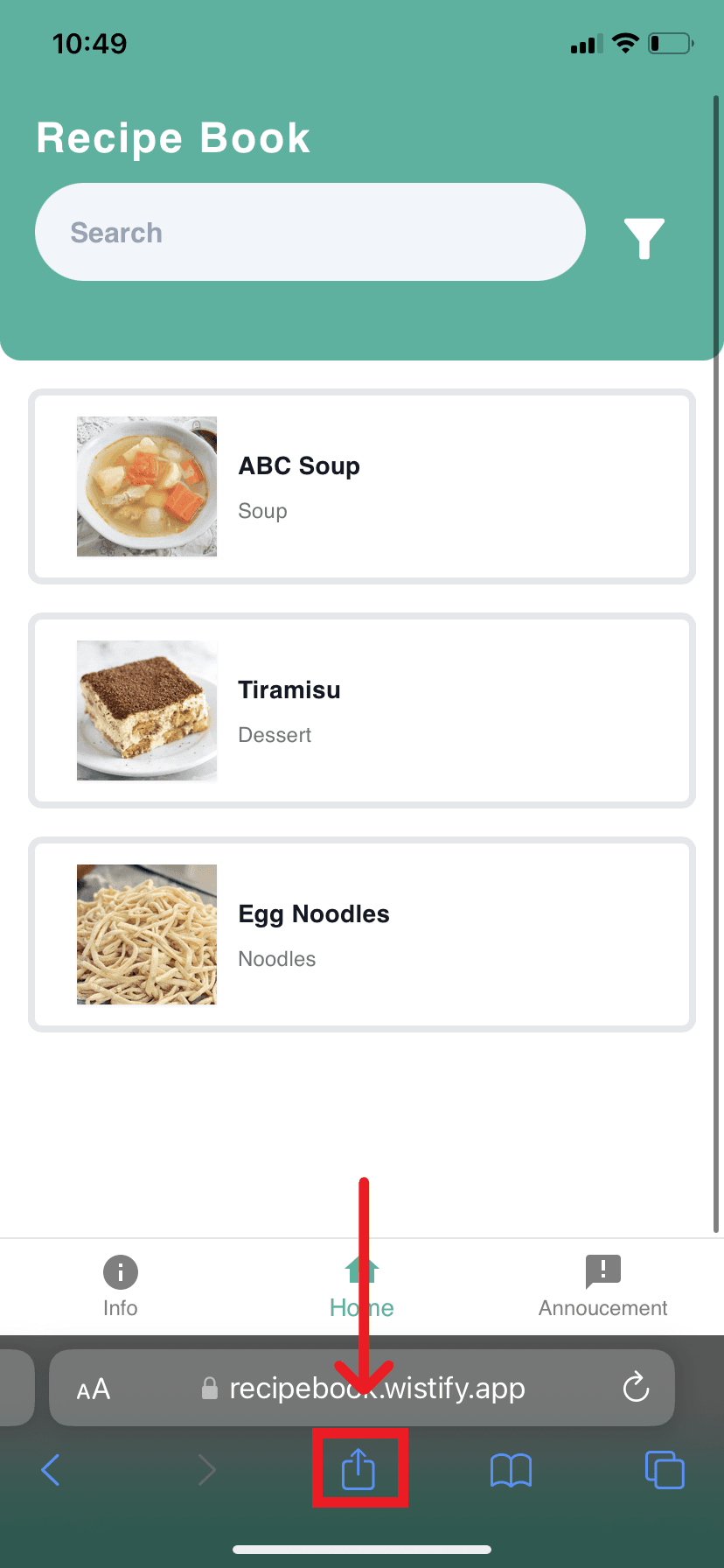
Open the Share menu
Tap Safari’s Share button at the bottom or top of the browser.
Use Safari to add a published Wistify app to your iOS or iPadOS home screen.
Safari is required for the Add to Home Screen flow. Other iOS browsers may not show the same installation controls.
The screenshots come from the original Wistify installation guide. Browser controls may move between releases.
Tap Safari’s Share button at the bottom or top of the browser.
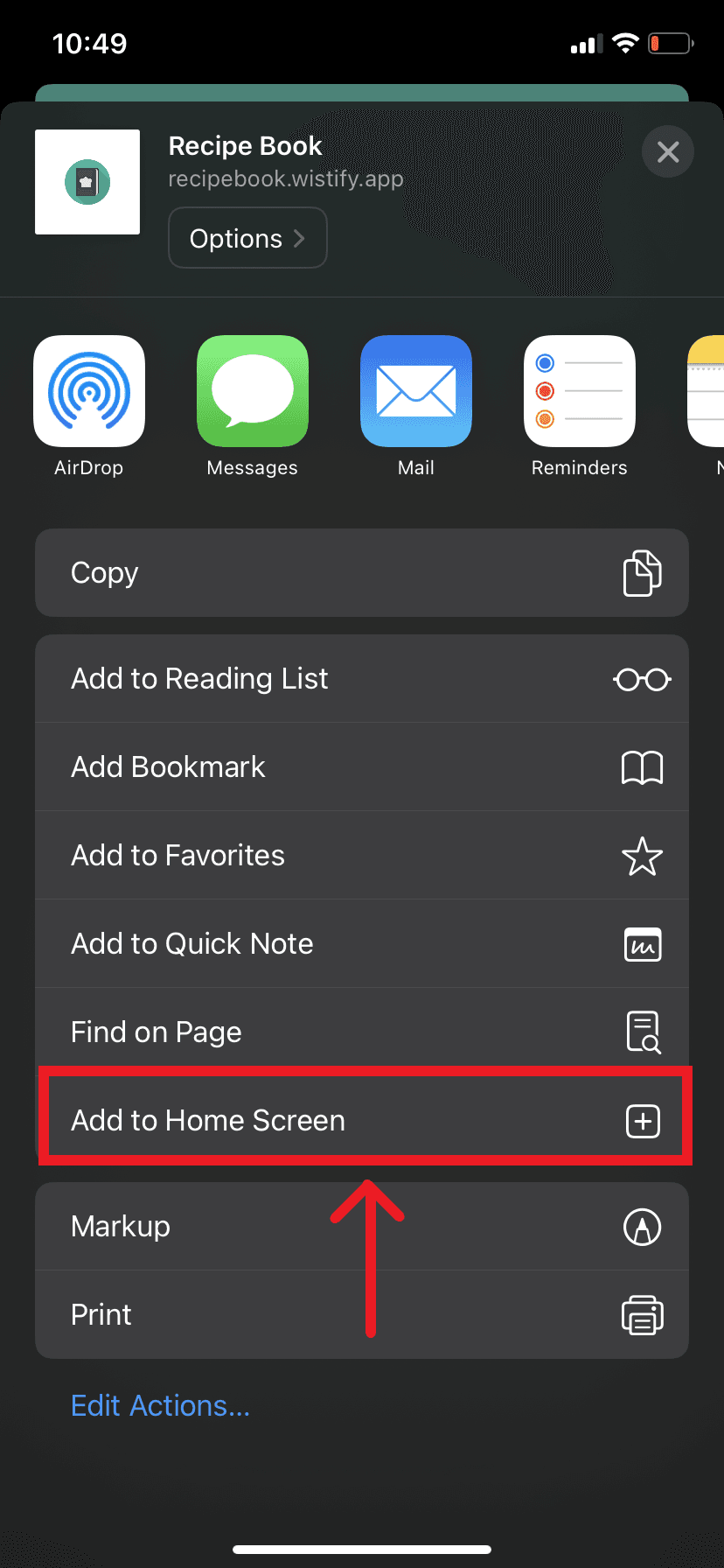
Choose Add to Home Screen from the Share menu.
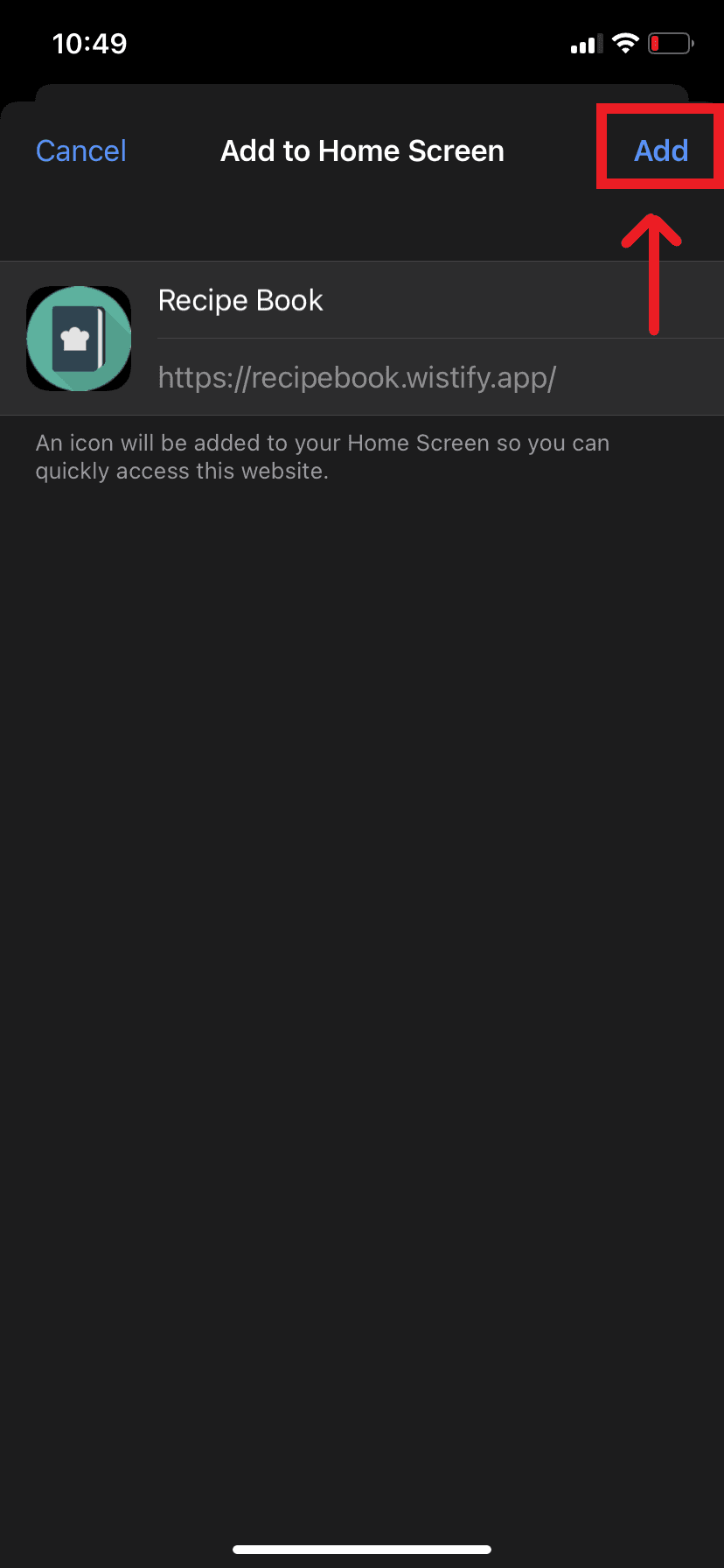
Tap Add to place the app on your home screen.
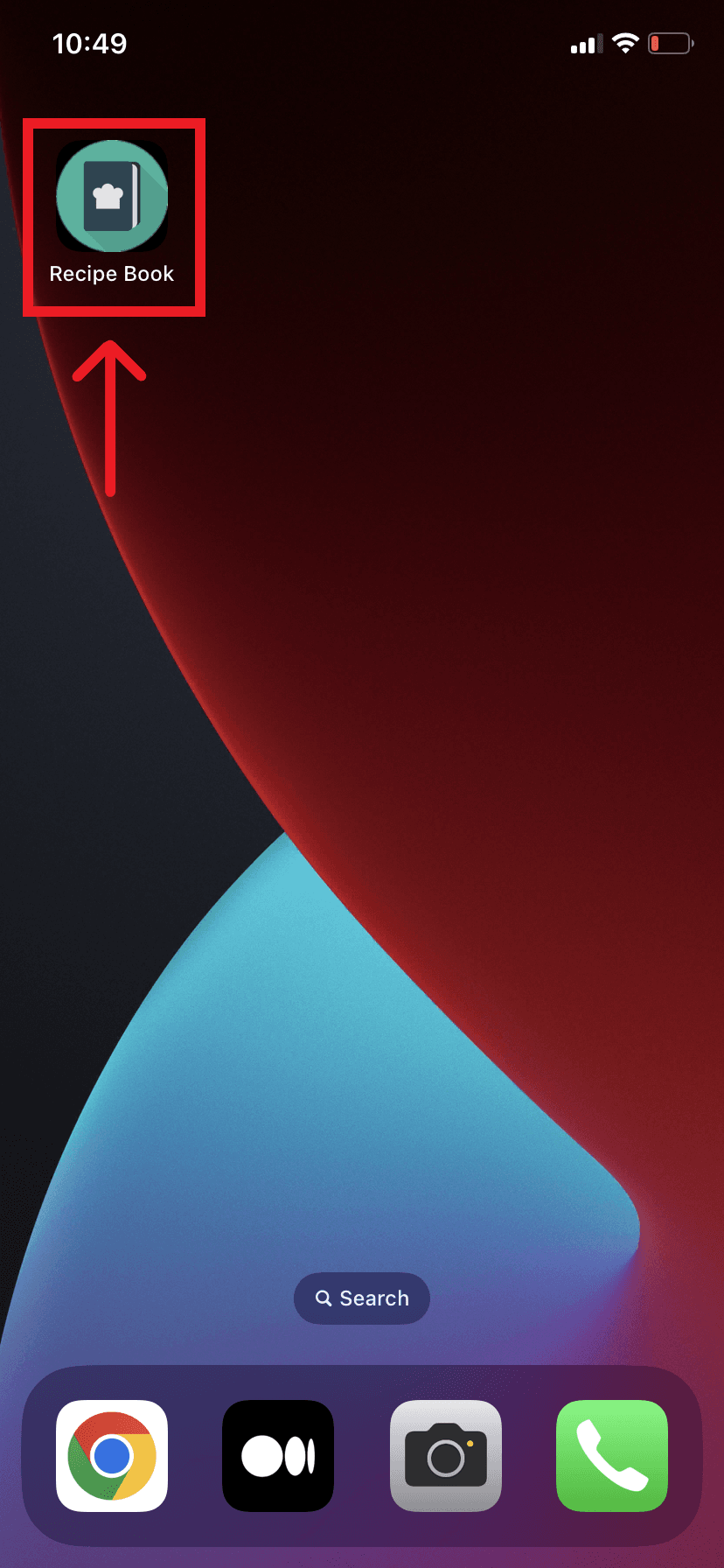
Use the new home-screen icon to launch the app.